Open an IFC model in the browser and ask it
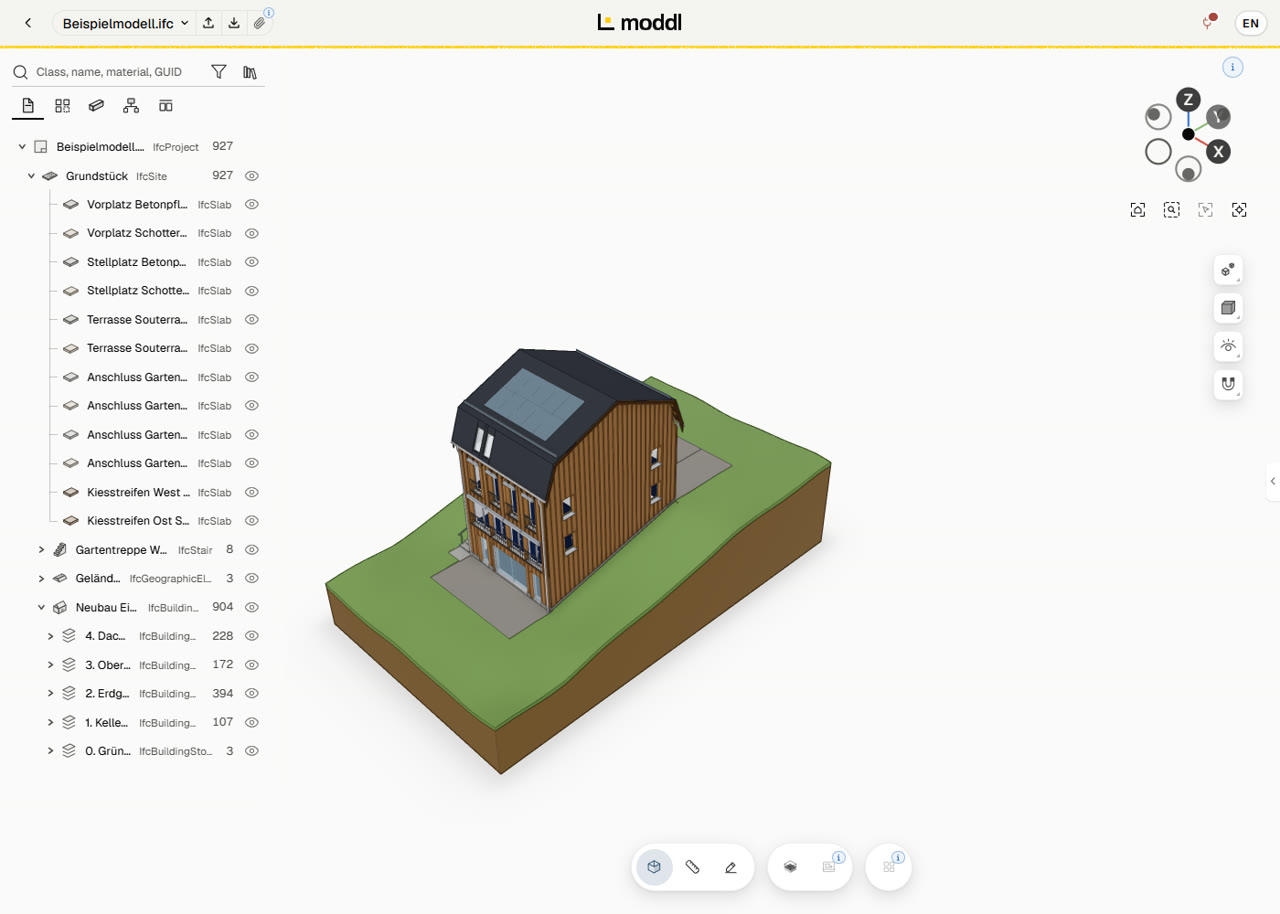
You open the IFC file in the browser, with no software to install. Then you ask what you want to know in your own words: how large, how many, what material. Your AI reads the answer from the model through moddl.
01What you can ask the model
Ask the way you would ask your designer, for example:
What is the net floor area per storey?
How many windows does the house have, and how large are they?
What are the external walls made of?
Roughly what will the facade cost at 450 € per m²?
02In the browser, nothing to install
The moddl viewer opens IFC4 and IFC4X3 right in the browser. It converts IFC2X3 files on upload.
You turn the model, show and hide storeys and search by class, name, material or GUID. A click on an element shows its properties.
The sample model loads without signing in. For your own IFC files, create a free moddl account.
03Answers you can check
A number nobody can trace is hard to pass on. So for each number you learn whether it comes from the file or was measured on the geometry, and for sums, how many elements were counted. If a value is missing, you get the reason instead of a 0.
You bring your own AI, Claude or ChatGPT for example. It doesn’t read your IFC file, only moddl’s answers: Edit BIM with your own AI subscription.
04Costs from quantities
moddl knows no prices. It supplies the quantity, the facade area without windows for instance, and your AI works out the price from the rate you give it, telling you which rate it used.
How quantities come about and what they cover: Quantity takeoff from IFC models.
05What moddl doesn’t answer
- moddl doesn’t rate your design. You learn what is in the model and what can be measured from it.
- Your questions change nothing in the model. Only what you expressly ask for gets changed.
06Ask your first question
Frequently asked questions
What are the requirements?
You need an AI assistant with MCP support, for example Claude or ChatGPT. ChatGPT can also be used on the free plan. You connect it with your own account, without an API key: Edit BIM with your own AI subscription.
Is a moddl account required?
Not for the sample model. To upload your own models, you need a free account.
Which IFC versions are supported?
IFC4 and IFC4X3. Files in IFC2X3 format are converted automatically on upload.
Is there a size limit?
During the beta phase, the limits are 25 MB per IFC file and 50 MB of storage per account.
Does the AI get access to my IFC file?
No. The AI receives only the answers to its requests and reports on the changes it has made. These answers may contain content from the model, such as element names and properties.
What does it cost?
During the beta phase, expected to run until June 30, 2027, moddl is free of charge. We will usually announce the end of the beta at least two weeks in advance. Your AI assistant is subject to your provider's terms.